Start from a saved voter universe
The field list starts with a segment the campaign can review: geography, registration, turnout, propensity, modeled signals, and any campaign-specific filters. That keeps the walk universe tied to a clear targeting decision instead of a mystery spreadsheet.
The point is not to maximize the number of doors. The point is to build a list the campaign can explain, staff, and follow up on.
- Segment name and filter logic
- Count before packet creation
- County, district, and local geography context
- Turnout and voter-file signal context before field handoff
Turn the universe into field packets
A sample canvassing list should show how voters become packets, who owns the packet, and what status the packet is in. That is the operational layer that usually gets lost when a campaign exports a CSV and rebuilds the workflow elsewhere.
- Packet ownership and assignment status
- Printable packet and mobile canvass handoff
- Survey prompts tied back to voter records
- Offline-ready canvass work after the turf is opened once
Close the loop after contact
The canvassing list should not end when the door is knocked. Support status, notes, survey answers, and follow-up queues need to stay attached to the voter record so the campaign can act on what field work learned.
Captured screens from the canvassing workflow
These product captures show the segment-to-packet path a California field team reviews before running canvass work.
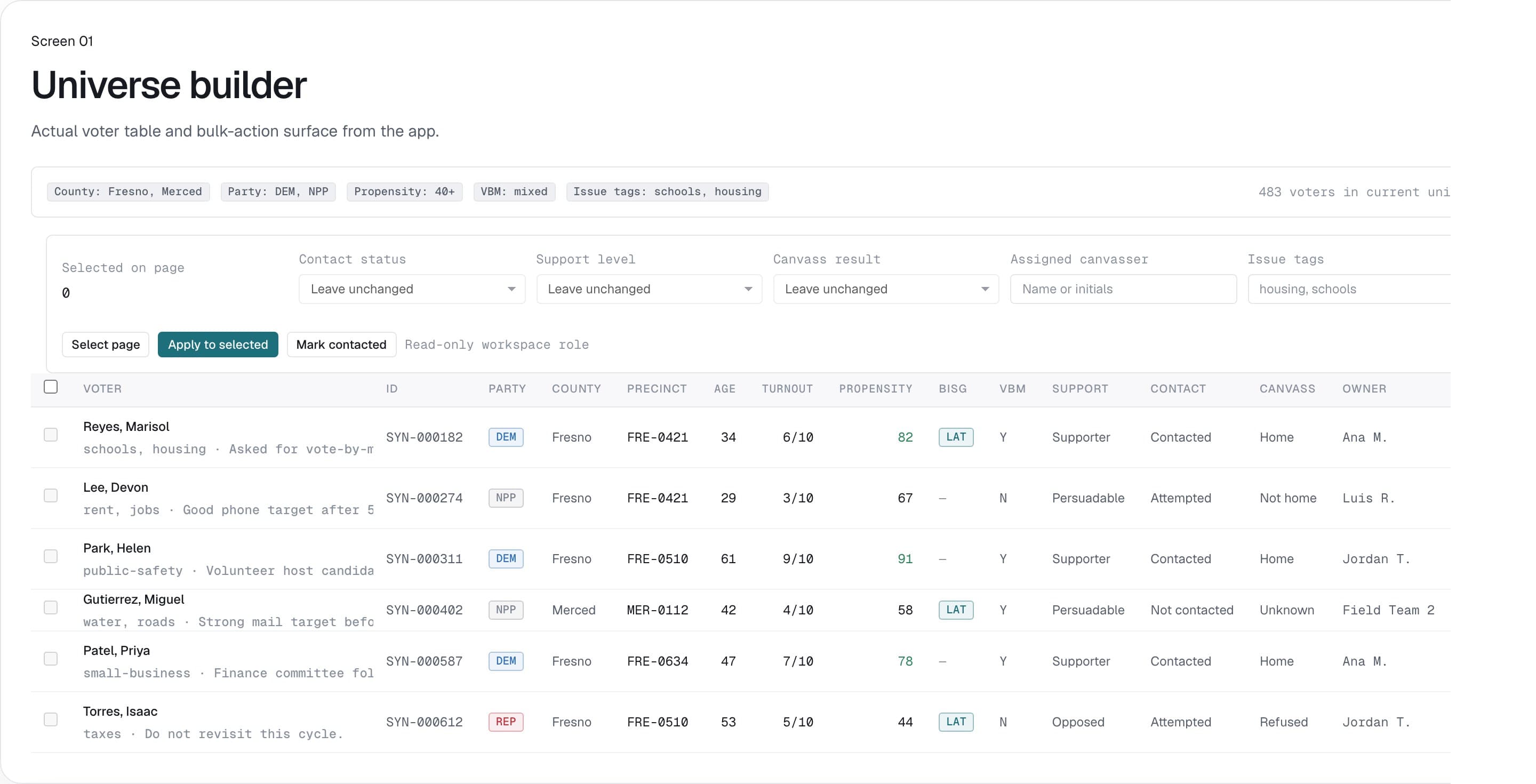
Saved voter universe setup
Filter county, party, turnout, propensity, and workflow criteria before the campaign commits a list to field, mail, or export.
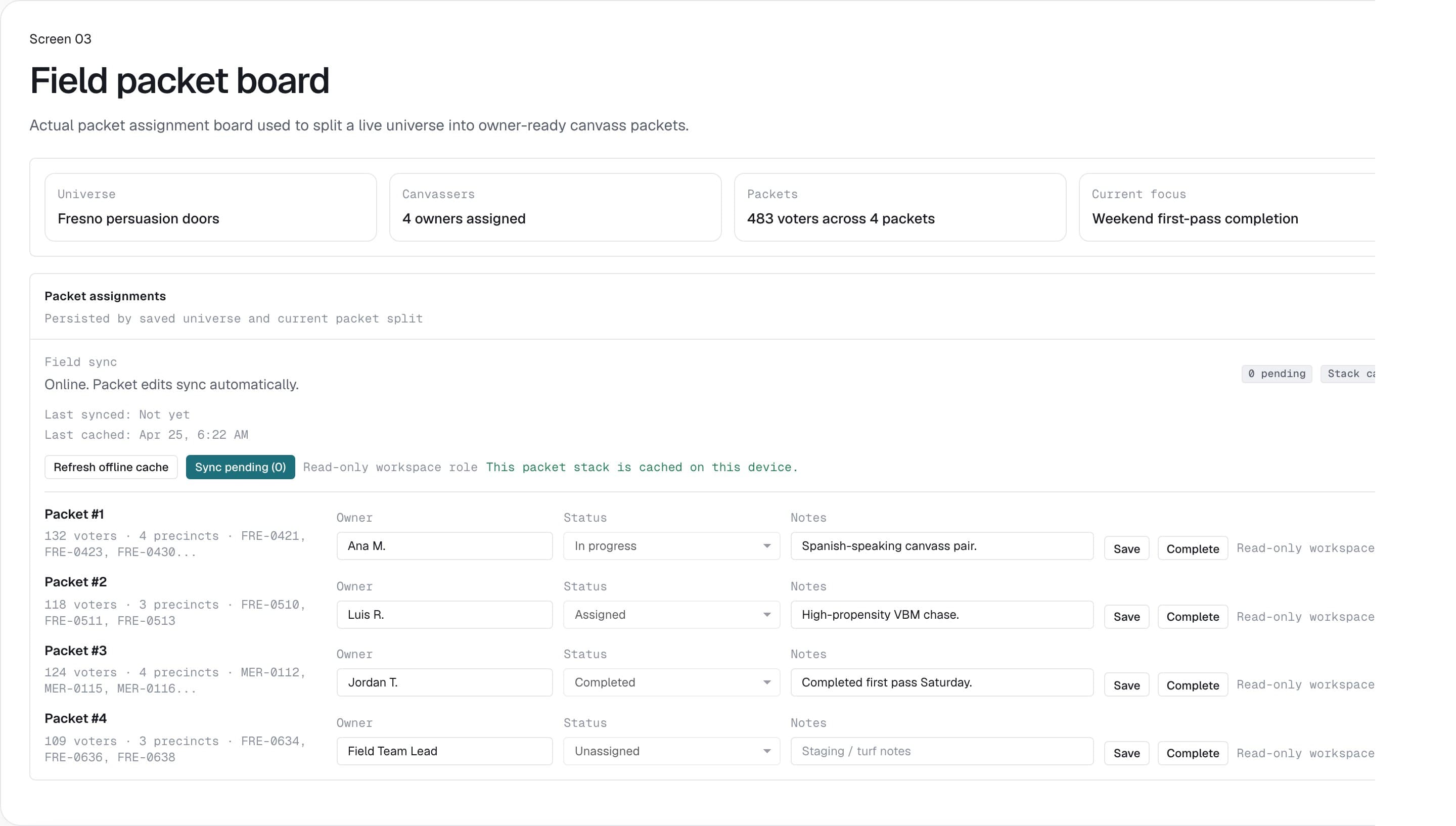
Field packet board
Split a voter universe into field-ready packets with assignment status, route structure, and canvass handoff.
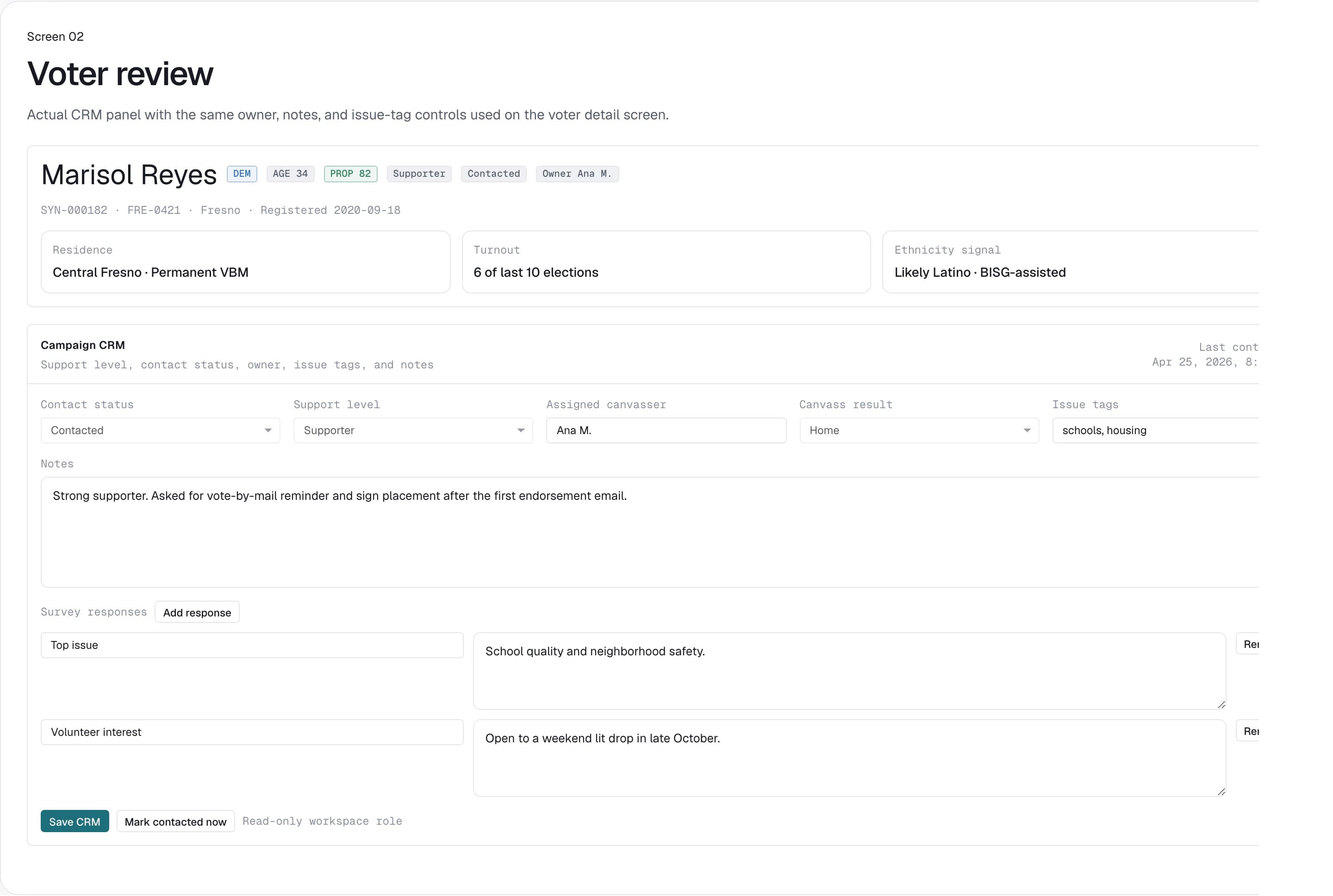
Voter-level review and notes
Review a voter record with campaign context, notes, support status, and signal detail before follow-up or export.
Sample canvassing list checklist
Use this checklist to evaluate whether a canvassing list is ready for volunteers, staff, and post-contact follow-up.
| List element | What CA Voter shows | Why it matters |
|---|---|---|
| Targeting logic | Saved universe filters and counts before packet creation. | The field lead can explain why these voters are worth contacting. |
| Packet workflow | Packet board, assignment status, and field handoff. | The campaign can manage who owns each packet instead of relying on ad hoc files. |
| Voter record context | CRM notes, support status, and survey response history. | Canvassers and managers can close the loop after contact. |
| Portability | Printable packet, mobile canvass, and export options. | The campaign can keep the field workflow usable even when another channel tool is involved. |
Need California voter data workflows for a real campaign?
Request beta access for eligibility review, pricing, and onboarding for qualified California campaigns and political users.
Questions
Is this a real voter list?
No. The page explains the workflow and uses product captures. Campaigns still bring voter data they are qualified to use.
Can a campaign print walk packets?
Yes. CA Voter supports print-ready walk packets, packet assignment tracking, mobile canvass mode, and survey response capture.
Can field notes update the voter record?
Yes. Voter CRM notes, support status, survey answers, and follow-up status stay attached to the voter record.